
Resize Image Online Free – Compress & Change Image Size Instantly
The fastest way to resize and compress images online without uploading to any server. Resize by dimensions, percentage, or target file size in KB.Upload multiple images for batch processing. Your files never leave your device. 100% free & private.
Quick Reference Guide
| Resizing Parameter | Options |
|---|---|
| Target File Size | 20KB, 50KB, 100KB |
| Pixel Dimensions | Manual Input (px) |
| Percentage Scaling | 10% to 500% |
| Processing Type | 100% Browser-Side |
Steps to Resize Image Online
Upload your JPG, PNG, WebP or HEIC photo
Choose method (KB, Pixels, or %)
Wait localized processing (instant)
Download your resized image instantly
Universal Resizing Interface
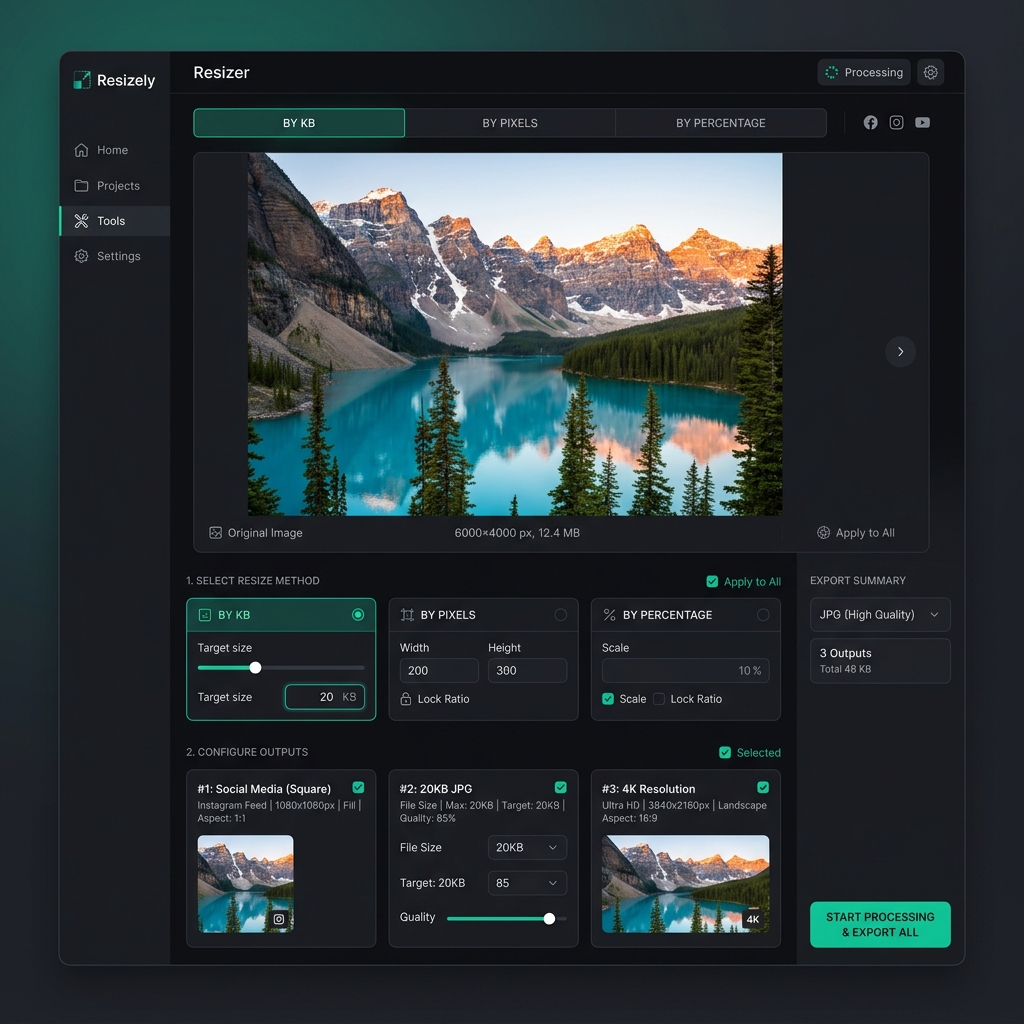
Our free online resizer handles everything from KB compression to exact pixel dimensions instantly.
How to Resize Image Online Free
- 1Click the "Upload" button and select the image you want to resize.
- 2Select your preferred resizing method (Target KB, Pixels, or Percentage).
- 3Adjust the settings as needed (e.g. set Width to 600px).
- 4Click "Resize" and download your optimized image.
Resize Image by KB, Pixels, or Percentage
Our universal resizer offers three distinct ways to control your output. Use "Target KB" for government forms (like 50KB JPG), "Pixels" for web design and social media (like 1080px), and "Percentage" for quick scaling of large camera photos.
Supported Image Formats (Universal Compatibility)
We support all modern web and camera formats including JPG, PNG, WebP, and HEIC (iPhone). Our tool can automatically convert between these formats while resizing to ensure maximum compatibility with your target platform.
Why Use Our Image Resizer Online?
Privacy Guaranteed
Your photos are never uploaded to a server. All resizing happens on your device.
Lightning Fast
No upload/download wait times. Resizing happens in milliseconds.
Free & Unlimited
No watermarks, no sign-ups, and no limits on how many images you can resize.
Mobile Friendly
Works perfectly on iPhone, Android, and tablets without any app installation.
Resize Image for Different Use Cases
Official Forms
Perfect for SSC, UPSC, and State PSC applications requiring 20KB or 50KB headshots.
Social Media
Create perfect 1080x1080 IG posts or high-quality YouTube thumbnails.
Web Development
Compress large hero images for faster page loads without sacrificing clarity.
Best Free Image Resizer Online
Zero Data Usage
Since we don't upload your files, you save massive amounts of mobile data.
Professional Quality
Advanced bicubic and Lanczos resampling ensures sharp edges.
Direct Download
No waiting for links or email attachments. Click and save.
Universal Image Resizer Online
Finding a reliable image resizer online that is both free and secure can be difficult. Most tools require you to upload your personal photos to their servers, which is a privacy risk. PhotoResizer.in is different — it works entirely in your browser, keeping your data on your device while providing professional-grade results.
Our tool is optimized for a wide range of tasks, from compressing images to 20KB for government job portals to changing photo size in pixels for web design. Whether you are a student, a social media manager, or a professional developer, our online resizer provides the speed and precision you need.
Popular Image Resize Tools
Access specialized resizing tools for exact KB limits, pixels, or official government portals.
Resize image to 20KB
Perfect for signatures and small photos
Resize image to 50KB
Standard for SSC & UPSC uploads
Resize image in pixels
Set exact width & height in px
Resize passport photo online
Official dimension-ready resizer
Compress image size online free
Reduce file size without quality loss
Photo size 50KB for SSC free
Instant government form optimization